Ecommerce Website Cost: Setup, Fees and Ongoing Upkeep
Ecommerce website cost includes more than platform fees. Compare year-one totals with long-term costs for themes, apps, sale fees, upkeep, and design.

In short
Ecommerce website cost is the full price of building and running an online store, not just its platform fee. Your total depends on who builds it, the design and features you choose, and ongoing costs such as hosting, apps, payment processing, security and marketing. Compare year-one costs with recurring expenses over time, then launch with essentials and add features as your store grows.
Think about buying a used car. The price on the windshield is only the start, since registration, insurance and the first repairs arrive after you sign. Building an online store works the same way.
An ecommerce website’s cost is more than the platform fee. It’s the theme, domain, hosting, payment fees on every sale, the apps you add, and upkeep after launch.
Here, we’ll compare year-one spending with the long-term total, and show how the look you choose sets your theme, platform and price.
What an Ecommerce Website Costs Overall
Before you pick a platform, you’ll want the rough total. Who builds your store and how it grows both shape the bill.
Typical spend for each build approach
Three common paths:
- Do it yourself (DIY): plans start from $29/month.
- Freelancer builds: $1,500-$5,000 for someone else to build it.
- Agency builds: $10,000-$25,000+.
According to a comparative analysis of e-commerce website development, agency builds can cost substantially more than DIY or freelancer builds, depending on scope.
For WooCommerce (a store add-on for WordPress), basic budget estimates offer a starting point for simple stores.
Costs grow with scale. A candle maker starting small may spend little at first, but her bill climbs with orders. Plan for that now.
What pushes your total cost up
Five things push your total up:
- Platform choice: your platform sets the base price and upkeep.
- Design complexity: a custom layout costs more than a ready-made theme.
- Number of features: each extra feature, like bookings, adds cost.
- Apps and integrations: add-ons often carry their own fees.
- Store size and scale: more products and orders mean a bigger bill.
It’s less about the build price and more about what you keep paying each month.
Spending at each stage of growth
Spending shifts as you grow:
- Solopreneur monthly spend: a one-person shop keeps the monthly bill small.
- Growing business spend: more products and orders bring extra apps.
- Established merchant spend: steady costs for hosting and support.
- Small business setup budget: budget the build plus your first year of fees.
Year one carries the build plus early fees. Judge a cheap start by the year-three total, not the year-one bill.
Picking the Right Ecommerce Platform
Your platform runs the store and sets much of what you’ll pay each year.
Kinds of platforms you can choose
Four main types:
- SaaS hosted platforms. SaaS (software as a service) means the provider runs the software and hosting for a monthly subscription.
- Open-source self-hosted. The software is free, but you host it and handle updates.
- Licensed platforms. You buy a license, then pay for hosting and upkeep.
- Headless commerce. The front end shoppers see is split from the back end, so the look is built separately.
SaaS trades control for convenience, and self-hosting flips that trade.
Shopify and SaaS plan prices
Shopify is a SaaS platform with Basic, Grow and Advanced tiers. Each tier bundles hosting and security into one monthly fee, so you aren’t on the hook for server upkeep. That predictability suits a shop owner who’d rather not guess at the bill.
According to a Swedish-language comparison of two e-commerce platforms, Shopify Plus, aimed at larger businesses, is priced separately from the standard plans.
Can I create an ecommerce website for free?
Yes, the core software can be free, with strings attached.
- Free core plugin. A basic add-on that turns your site into a store costs nothing.
- Hosting and themes extra. You still pay for a web host, and themes can add up.
- Flexibility and control. You decide how the store works and where it lives.
- Needs technical skill. You’ll set up, troubleshoot and secure it yourself.
Take a potter selling mugs from her kitchen. She gets full say over her product pages, but when checkout breaks at midnight, the fix is hers to find.
What running Magento actually costs
Magento, a store platform, comes in a free open-source version and a licensed version.
- Free open-source version. The download is free, but you still need hosting and someone to maintain it.
- Licensed version pricing. The license carries its own price tag, so check it first.
- Developer costs balloon. Custom work, updates and security can dwarf the software price.
The software can be the cheapest line in your budget, while developer time becomes the costliest. Free software rarely means a free store.
How to compare platforms and choose
Start with three questions:
- Budget and technical comfort. If you’d rather not touch code, a hosted plan is worth a closer look.
- Store size and complexity. A few products need far less than a large catalog with custom shipping rules.
- Free trials. Where offered, click through checkout as a shopper would before you commit.
Here’s how we’d compare the four types:
| Platform type | Hands-on work | Main cost pattern |
|---|---|---|
| SaaS hosted | Minimal | Monthly subscription |
| Open-source self-hosted | Substantial | Free software, plus hosting and developer time |
| Licensed | Moderate to substantial | License fee, plus hosting and upkeep |
| Headless | Substantial | Custom build and ongoing development |
Finally, shortlist three themes and total their yearly costs, including the platform, hosting and apps.
Domains, Hosting and SSL Certificates
Every store needs an address, a home, and a padlock.
What a domain name will cost you
Your domain name is your store’s address and you’ll pay an annual fee. The registrar you buy from and the top-level domain (TLD), the ending after the dot, both shape the price. Premium endings like .shop can cost more.
Many hosting plans include a free first-year domain, so watch the renewal price, not the sign-up one.
Hosting prices as your store grows
Hosting is where your store lives, and the kind you pick sets the bill:
- Shared hosting: many sites share one server, so costs stay low.
- Cloud hosting: your site spans linked servers that scale up.
- VPS (virtual private server): a reserved slice of one machine.
Budget plans suit beginners with light traffic, but confirm the storage and visitor limits.
All-in-one platforms (software as a service, or SaaS) bundle hosting into the monthly fee, so you can’t compare hosts.
As visitors grow, you may need a pricier tier. Slow support or downtime from a host can cost you sales, so read reviews.
Consider a candle maker who lands a holiday feature. Her budget plan slows mid-rush, so she pays for an emergency upgrade.

Whether SSL certificates cost extra
An SSL (Secure Sockets Layer) certificate encrypts data between your visitors and your site, and that’s what the padlock signals. Many hosts include one free.
There are three types:
- Domain validated (DV): confirms you control the domain.
- Organization validated (OV): also checks business details.
- Extended validation (EV): the strictest identity check.
Buy one separately and expect a yearly fee. Paid types mostly add verification, not stronger encryption, so a free basic one is often enough. Don’t pay twice for the same padlock.
Paying for Design and Development
Design drives much of your early spending, so it’s worth knowing your options before you fall for a demo.
Ready-made themes and their prices
A theme is the pre-built design that controls how your shop looks. Think of a candle maker opening her first shop before the holiday rush. A ready-made theme is a fast, budget-friendly launch, but she still checks four things:
- Free or premium: free themes cost nothing, while premium themes add a fee for extra features.
- Platform fit: each platform has its own theme shop, so prices vary.
- Mobile-ready templates: check that they look right on a phone.
- One-off or yearly licence: some themes are paid once, others renew each year.
Going fully custom and what it costs
A custom theme is built from scratch around your brand, and it can cost thousands. You’re paying for fit instead of an off-the-shelf look.
Large catalogs with complex sales rules are enterprise-level builds, and the price climbs with them.
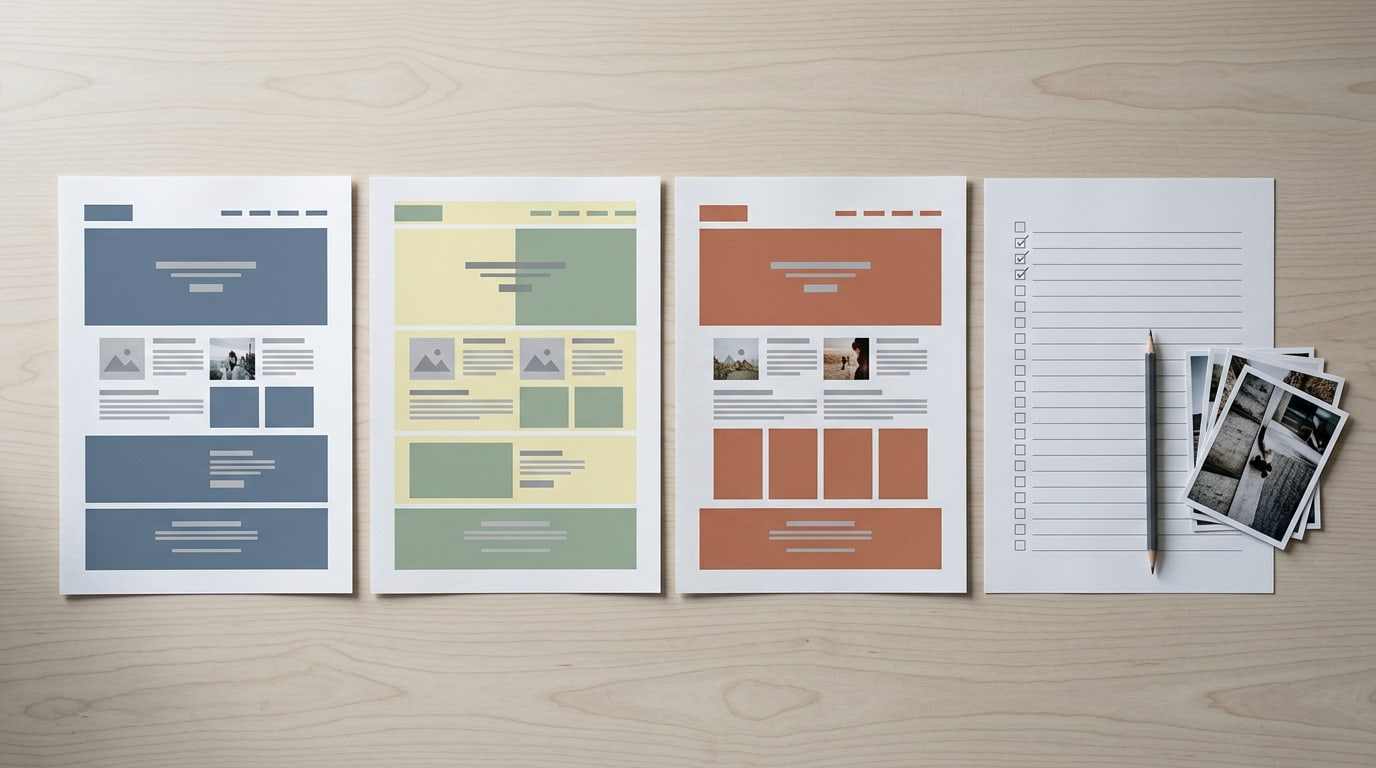
Custom work often starts with wireframes, rough sketches of each page, followed by UX (user experience) and UI (user interface) work.
A bakery that wants a pre-order calendar pays for a feature a ready-made theme may not include. Features add up fast.
What developers and agencies charge
Ecommerce developers may bill by the hour, which remains the most common pricing model according to a 2026 web developer pricing guide. Rates scale with experience, so expect quotes across a beginner to advanced range.
Hiring a freelance developer suits a small, clear job, while an agency brings a full team and its own process.
Before you request quotes, list what drives the bill: scope, integrations, revision rounds and launch date.
Connecting payments, shipping and tools
Picture a pottery studio shipping mugs nationwide. Without a shipping calculator, she guesses at postage and risks a surprise at checkout. Your shop needs a few connected services to avoid that:
- Payment gateway: the service that securely processes card payments between shopper and bank.
- Shipping and tax calculators: tools that work out postage and sales tax at checkout.
- Third-party apps: add-ons from outside your platform, each with its own setup.
- ERP and inventory integrations: an ERP (enterprise resource planning) system tracks stock and orders, and linking it to your shop keeps counts current.
Why good design and navigation matter
The look of your site is the first thing shoppers see, and product photos do much of that work. Product photography is its own cost, so budget for it, whether you shoot the pictures yourself or hire a photographer.
Navigation, meaning your menus and categories, is less about how the site looks and more about how easily shoppers find things.
The look you choose sets the theme, the platform and the price, so start there.
Fees You Pay on Every Sale
Every order you take passes through a payment gateway, the service that handles the customer’s card and moves the money into your account. It’s a cost you’ll feel on every sale, so it’s worth knowing before you pick a platform.
Transaction fees from payment gateways
Don’t expect a single flat rate.
According to a study of small and mid-sized online shops in Ukraine, processors often pair a percentage of the payment with a fixed per-transaction amount, and a CEPS-ECRI working paper on interchange fees notes that charges vary by provider and by transaction.
- PayPal: 2.9% + $0.30 per transaction.
- Stripe: a per-transaction fee on each payment.
- Authorize.net: a monthly fee.
The typical range runs from 1% to 3.5%, so compare before you settle. It’s less a one-time charge and more a cut on every sale. Say a candle maker sells a $25 candle through PayPal.
At 2.9% plus $0.30, the gateway keeps just over a dollar before shipping even enters the picture. Small cuts add up.
Payment costs that vary by platform
Your platform shapes the payment side too:
- Magento: comes with default gateways, so check whether the one you want is already included.
- WooCommerce: works with more than 100 gateways, which means far more choice.
- Shopify Payments: rates depend on your plan and payment method. A Spanish write-up of an online dropshipping store puts the credit card fee between 1.8% and 2.4%, depending on the plan you choose.
- Third-party gateways: can add surcharges of their own, so read the fine print.
It’s a small detail, but check it before you commit.
Plugin and App Spending to Expect
Plugins and apps are where first-time store owners often lose track of money.
How much plugins and apps cost
Start with the free vs. paid split. Many tools offer a free tier, while paid versions add features.
Watch the monthly charge, not the one-time price. A subscription app bills on a schedule, so a low starting price can hide a steady cost.
Magento extensions, or add-ons, can add costs beyond the core platform. A university thesis on e-commerce with Magento notes that most are free, though some carry a steep price.
For WooCommerce plugins, compare the free and paid versions before you install. Custom app development is a bigger commitment, so save it for needs no ready-made app covers.
Popular add-on types to budget for
Plan for these five early:
- Email marketing. Newsletters and reminders that bring shoppers back.
- SEO tools. Help with search engine optimization (SEO) so shoppers find you.
- Backups and security. Copies of your store and protection for shopper data.
- Reviews and loyalty. Customer feedback and rewards for repeat buyers.
- Inventory management. Accurate stock counts, so you never sell what’s gone.
Think of a candle maker in a holiday rush. Her inventory tool updates stock with each order, so the last jar doesn’t sell twice.
Trim app subscriptions with regular audits
Subscriptions add up, one small charge at a time. A regular app audit catches them: once a quarter, list each app you pay for and when you last used it. Keep what earns its place, and cancel the rest.
Before you add anything new, check your platform’s free native tools, the built-in features that may already do the job. Look first. Install second.

Costs That Keep Coming After Launch
Your store keeps costing money after launch. These recurring costs are easy to overlook, so plan for them now.
Keeping your site updated and backed up
Platform, theme and app updates can break things, so you’ll want regular backups, saved copies you can restore. Check whether backups and security scans are included or cost extra.
The bigger your catalog, the more there is to back up and scan, so costs climb with it. Maintenance isn’t optional. Think of a bakery owner who skips updates for a year.
When checkout breaks during the holiday rush, the emergency fix often costs more than steady upkeep.
Staying secure and PCI compliant
Taking card payments means following PCI DSS, the Payment Card Industry Data Security Standard. Your compliance cost depends on how much card data you handle yourself, so a payment provider’s hosted checkout usually keeps it lighter.
Fraud tools flag suspicious orders before they become chargebacks, the disputes customers file with their bank. Firewalls block suspicious traffic, and malware scanning checks your files for harmful code.
Picture a florist selling gift cards online: she’ll want fraud tools from day one. Security is about prevention more than cleanup.
How much to spend on marketing
You can hire an agency, bring in an in-house marketer, or do it yourself. An agency is fastest but usually the priciest, while doing it yourself mostly costs your time. Marketing spend usually covers three areas:
- SEO (search engine optimization) helps search engines find and rank your pages.
- Paid ads are billed per click or per view.
- Content like blog posts and product descriptions builds traffic over time.
A retired teacher selling handmade bookmarks skips paid ads until orders are steady, which keeps cash free for supplies. Start small, and let your budget grow as your orders do.
Running costs like shipping and returns
Every order and return carries costs:
- Fulfillment covers picking, packing and sending orders.
- Shipping costs depend on weight, distance and who pays.
- Returns processing covers return labels, restocking and refunds.
- Inventory is stock on your shelves, tying up cash until it sells.
- Email hosting gives you a business email address on your own domain, usually billed monthly.
Your business model decides when costs hit. Holding stock means paying up front; dropshipping, where a supplier ships each order, keeps cash free but gives you less control. Consider a candle maker: a few broken jars can eat a month’s profit.
Software subscriptions you’ll keep paying
Subscriptions quietly repeat every month:
- Live chat tools let customers message you from your site.
- Email platforms send your newsletters, and many charge by list size, so costs rise as your list grows.
- Analytics subscriptions show how visitors find and use your site, with fuller versions costing extra.
Small monthly fees add up fast, so total them before launch.
Choosing Between DIY, Freelancers and Agencies
Who builds your store is one of the biggest cost decisions you’ll make. Here’s what each route costs in money and time.
Building it yourself with a builder
A website builder is a hosted tool with drag-and-drop pages, and doing it yourself (DIY) with one is the lowest upfront cost route. A candle maker might launch her first shop over a weekend, paying for a plan instead of a designer.
The catch: every photo, description and layout tweak comes out of her own evenings, so you trade time for money.
It’s best for startups testing an idea before spending big.
Pick the look before the platform: browse demo stores, choose a theme you love, then confirm your platform supports it.
Starting from a template with a freelancer
A freelancer is an independent designer you hire for one project. You start from a template, a ready-made design you adapt, which makes this the middle-ground option on both cost and control.
A yoga studio owner, for instance, might keep a template’s basic layout but customize the colors and move her class schedule to the homepage.
You get a professional finish for less than a fully custom build, because the design already works before anyone changes a color.
Hiring an agency for a custom build
An agency is a team of designers, developers and marketers, so you get full team expertise without hunting for each specialist.
It’s the most expensive option, because you pay for the time a whole team spends planning, designing and testing.
Agencies are best for scaling brands: businesses that already sell well and need a site that can handle more products and traffic.
When to hire professionals
Some projects tip the balance toward help. Watch for these signs:
- Custom functionality needs. A bespoke booking calendar or product configurator can outgrow a builder’s standard tools.
- Complex integrations. Linking your shop to accounting, shipping or a wholesale portal takes careful setup.
- Platform migrations. Moving an existing store means carrying products, customers and order history over intact.
- The DIY cost-benefit tipping point. This is where the hours you spend fixing the site cost more than a professional’s fee.
Picture a bakery owner losing every Sunday night to a broken checkout. A few hours from a freelancer may cost less than those lost evenings. Your time has a price too.
Budgeting and Ways to Save
Plan the money first, then trim costs and measure the return.
Map out your full project budget
Forecast your total project cost by listing every expense, from platform to photos. Split it into fixed costs (the same each month or year) and variable costs (they move with sales).
Add a reserve for surprises, like a renewal price that jumped.
Use this budget calculator template:
- Platform: monthly price times 12
- Theme: one-time or yearly fee
- Domain: yearly renewal
- Hosting: if billed separately
- Payment fees: sales times processing rate
- Apps: what you need
- Reserve: your cushion
Worked example: a florist’s year-one total adds twelve months of platform fees, the theme’s one-time price, the domain renewal, apps, expected payment fees and reserve. Year two drops the one-time costs.
Deciding which features come first
Must-haves are what customers need to buy, like product pages and checkout. Nice-to-haves are everything else.
A lean launch goes live with only the must-haves, and you’re aiming for progress rather than completion. A candle maker who launches with a few products starts selling sooner, then adds gift cards once she knows buyers want them.
A phased feature rollout adds the rest in stages: launch first, add nice-to-haves once orders arrive, then check what sells.
Easy ways to cut your costs
- Use pre-made templates. A ready-made theme gives you a working layout without paying for custom design.
- Choose open-source software. Its code is free to use, but you’ll handle more of the upkeep yourself.
- Hire freelancers. Pay for a single job, like product page setup, instead of an ongoing contract.
- Simple design. Fewer custom layouts and animations mean less to build and faster pages.
- Plan for scale. Pick a platform that can grow with you, so you don’t rebuild and pay twice.

How to measure your website’s ROI
Return on investment (ROI) is what your site earns compared with what it cost. So think less about spending and more about earning.
Track your conversion rate, the share of visitors who buy. Divide orders by visitors each month to see your rate.
Next, customer lifetime value is the total a customer spends with you over time. A repeat buyer who orders every birthday is worth more than a single order.
Treat the site as an investment rather than an expense. Money in, money out.
Content and SEO Work, Priced Out
Words and search visibility are easy to forget in a budget, so price them early.
Copywriter rates and legal page costs
A copywriter writes the words on your site. Many charge by the hour, so ask for a quote with a set number of hours. You’re paying for clear words that sell, not long ones.
A landing page is the single page a visitor reaches from an ad or search. A bakery promoting wedding-cake orders needs one clear headline, a short offer, and an order button.
That one page is often worth paying a writer for, since it’s the one doing the selling.
Legal and policy pages, such as a privacy policy or returns page, are ones you’ll have to publish. Start from a template if you like, but budget for a lawyer to review it.
Setting up SEO and keeping it going
Search engine optimization (SEO) helps search engines find your pages. SEO may be priced per page, alongside other models.
According to a primer on outsourcing key SEO tasks, one firm was charging approximately $300 per webpage per month for full outsourced SEO at the time of its interview.
A candle maker with a few bestsellers might start with SEO on just those pages, then expand once orders show which ones sell.
Technical SEO covers the behind-the-scenes setup that helps search engines read your site. Check these before you pay anyone for them:
- Pages load quickly on a phone
- Each page has its own title and short description
- Web addresses are short and readable
- Images carry descriptive alt text
SEO is an ongoing investment, not a one-time task. Search results shift and products change, so plan a monthly or quarterly budget. It’s a line item, not a launch fee.
Ways to Grow and Promote Your Store
A store nobody finds won’t sell much, no matter how good the theme looks. Here’s how to think about the main ways to bring in visitors.
Channels that bring in visitors
Think of a potter selling handmade mugs online. Her store is ready, but orders only arrive once people discover it. Four channels are worth knowing.
- Search engine optimization (SEO) means making your pages easy for search engines to find, starting with your own words. Pair it with content marketing, publishing helpful guides like ‘how to choose a mug for your morning coffee.’ Those pages draw in readers already looking for what you sell.
- Social media marketing means posting where your customers already spend time, like photos of new glazes or customer reviews. Pick one or two platforms and post steadily, because consistency matters more than volume.
- Paid ads are sponsored placements you pay for. Check their return on investment (ROI), meaning how much they bring back compared to what you spent. If an ad doesn’t pay for itself, pause it. Start small.
- Influencer partnerships pair you with creators whose followers match your customers. A candle maker might send a local home-decor blogger a free candle for an honest post, plus a unique discount code that shows exactly which orders came from it.
Start with the one channel you can keep up with, then let your results guide what comes next. You don’t need all four on day one.
Site Types and Typical Cost Benchmarks
Before you price anything, ask what the site has to do. Your business model shapes which features you’ll pay for.
Business models like B2C and B2B
B2C (business to consumer) means a shop sells straight to shoppers, like a candle maker. B2B (business to business) sells to other companies instead. B2C sells to shoppers, while B2B sells to businesses.
The other models:
- C2C (consumer to consumer): people selling secondhand goods to each other.
- C2B (consumer to business): individuals selling their work or goods to companies.
- B2G (business to government): companies selling to public agencies.
- G2B (government to business): agencies issuing contracts to companies.
- G2C (government to citizen): public services for residents, like license renewals.
- m-commerce (mobile commerce): shopping on a phone, so pages must load fast.
What copying Amazon or eBay would cost
Amazon and eBay are the sites most people picture first. We can’t put a reliable figure on a copy, so it’s more useful to know what drives the estimate.
According to a client-commissioned e-commerce study, estimating a retailer-scale site means weighing development time and project scope.
A local bakery taking holiday cake orders needs just a few product pages and a checkout, which keeps its estimate manageable. Add a seller dashboard and it’s a different project. Start small.
That study lists these key factors:
- Estimated cost: the budget you’re working from.
- Effort: how much hands-on building the site needs.
- Time-to-market: how soon you need to be live.
- Requirements: the must-have features on day one.
- Value: what the site should bring back to your business.
Check these before you ask a developer for a number.
Your ecommerce budget really comes down to two kinds of spending: the one-time setup and the costs that repeat with every month and every sale. Plan for both, and the year-one total stops being a surprise.
Start with the look you want, since it shapes your theme, platform and running costs. Write your numbers down before you buy, and you’ll know which upgrades are worth it.
Pick the look first, and the rest of the bill becomes much easier to predict.
References
- En jämförelse mellan två e-handelsplattformar — theseus.fi (2023)
- An evaluation of success and quality through a client-commissioned e-commerce website development project — theseus.fi (2024)
- A comparative analysis of e-commerce website development using two implementation methods — doi.org (2002)
- Online payment gateways and the expediency of their use in small to medium-sized Internet shops in Ukraine — doi.org (2019)
- The impact of EU price rules: Interchange fee regulation in retail payments. CEPS-ECRI Working Paper 4 February 2020 — aei.pitt.edu (2020)
- Ecom: Electronic ComponentsTIENDA ONLINE DE DROPSHIPPING WWW.ECOMEC.ES — riunet.upv.es (2021)
- Search engine optimisation: A primer on outsourcing key tasks — doi.org (2008)
- Analisi, progettazione e sviluppo di un e-commerce con framework magento — amslaurea.unibo.it (2015)
- How Much Do Web Developers Charge in 2026? Pricing Guide — skillsheaven.org
Questions
What is a reasonable price to charge for a website?
A reasonable price depends on the store’s size, features, design, and who builds it. A DIY store may start at $29 per month, while freelancer-built stores commonly cost $1,500–$5,000 and agency builds $10,000–$25,000 or more, before ongoing expenses.
What are the 7 types of e-commerce?
Seven commonly recognized e-commerce types are business-to-consumer (B2C), business-to-business (B2B), consumer-to-consumer (C2C), consumer-to-business (C2B), business-to-government (B2G), government-to-business (G2B), and consumer-to-government (C2G). They describe who is buying and selling online.
How much does a Shopify website cost?
Shopify’s standard plans are Basic, Grow, and Advanced, with monthly fees that include hosting and security. The exact price depends on the plan and can change, so check Shopify’s current pricing; larger businesses can also consider Shopify Plus, which is priced separately.
Can I create an eCommerce website for free?
Yes. Open-source e-commerce software or a free store plugin can cost nothing to use. However, you may still pay for hosting, a domain, themes, apps, and payment processing, and you’ll need to handle setup, maintenance, and security yourself.
Sources
- A comparative analysis of e-commerce website development using two implementation methods, doi.org,
- En jämförelse mellan två e-handelsplattformar, theseus.fi,
- Online payment gateways and the expediency of their use in small to medium-sized Internet shops in Ukraine, doi.org,
- The impact of EU price rules: Interchange fee regulation in retail payments. CEPS-ECRI Working Paper 4 February 2020, aei.pitt.edu,
- How Much Do Web Developers Charge in 2026? Pricing Guide, skillsheaven.org
- An evaluation of success and quality through a client-commissioned e-commerce website development project, theseus.fi,
- Ecom: Electronic ComponentsTIENDA ONLINE DE DROPSHIPPING WWW.ECOMEC.ES, riunet.upv.es,
- Search engine optimisation: A primer on outsourcing key tasks, doi.org,
- Analisi, progettazione e sviluppo di un e-commerce con framework magento, amslaurea.unibo.it,