GuidesChapter 4 · Online Stores
Abandoned Cart Emails That Bring Shoppers Back, Done Right
Abandoned cart emails can bring shoppers back with a smart send order, well-timed follow-ups, and discounts used wisely, plus brand examples.
In short
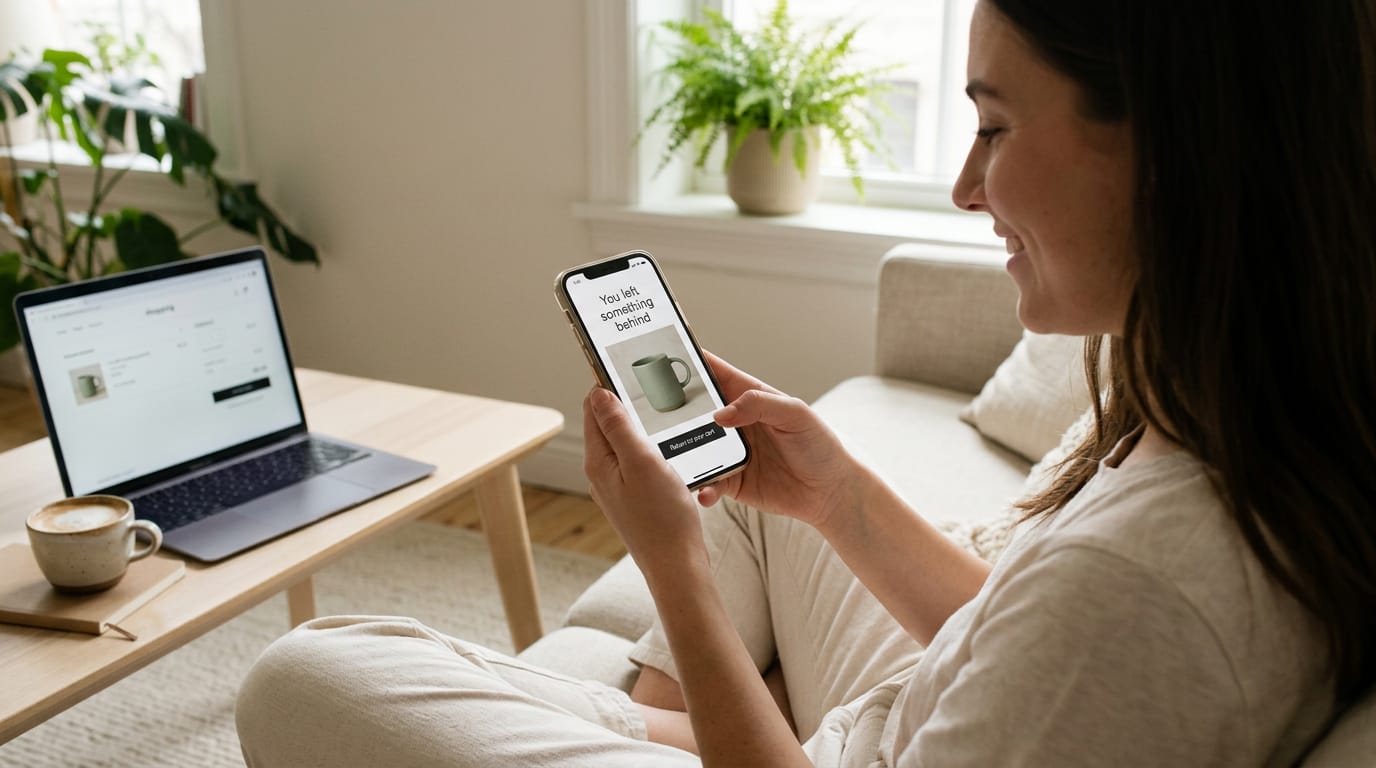
Abandoned cart emails are automated reminders sent to shoppers who add products to a cart but leave without buying, showing the items and linking back to checkout. Send a small, well-spaced sequence with clear copy, a direct return link, and helpful answers to common concerns; use discounts and urgency sparingly and honestly, and respect shoppers’ consent. In practice, a timely, easy-to-act-on reminder can help shoppers resume a purchase without making your store feel pushy.
Picture a shopper who fills a basket at the market, then gets pulled away by a phone call and leaves it by the door. Online, shoppers do the same thing all day long.
An abandoned cart email is a short, friendly nudge sent to someone who added items but didn’t check out.
We’ll cover when to send these emails, what to say, how to use discounts wisely, and how to set them up with consent in mind. If you’re launching your first store on Shopify or WooCommerce, we’ll also show you a start-small path.
What Abandoned Cart Emails Are and Why They Matter
What happens when a shopper fills a cart and walks away? That’s cart abandonment, and checkout abandonment is the narrower case of leaving partway through paying.
What sets off the automated reminder
An abandoned cart email is an automated follow-up your store sends once a shopper leaves items in their cart. It shows those items and links back to the cart, with one job: a reminder to finish the purchase.
Think of a candle maker whose visitor adds three candles, then closes the tab. The follow-up email lists those exact candles with a link back to the cart. The sale isn’t lost. It’s paused.
How often carts are abandoned and lost
Baymard Institute calculated an average cart abandonment rate of 70.22%, so most carts never become orders.
Those carts are demand you’ve already worked to earn. Whatever brought the shopper in, whether an ad, a social post or a search, took effort. You’re not so much hunting for new buyers as returning to people who already showed interest.
Billions of dollars in potential sales are lost each year, and Baymard’s estimate puts the lost orders at $260 billion across the United States and European Union, recoverable through a better checkout flow and design alone.
How well these emails typically perform
A case study using Klaviyo on behavioral segmentation tracks open rates as one of the critical performance indicators, alongside:
- click-through rates
- conversion rates (how many people go on to buy)
Klaviyo’s 2026 Abandoned Cart Benchmark Report puts the average click rate for email at 6%, and says abandoned cart flows average $6.77 in revenue per recipient.
Why shoppers leave before they buy
Shoppers leave for a handful of common reasons:
- Unexpected shipping and fees. A surprise cost at the last step can end a purchase on the spot.
- Distraction or comparison shopping. Some shoppers browse other stores, and others get pulled away mid-visit.
- A clumsy checkout. Too many steps or a confusing form gives shoppers a reason to quit.
- Needing more information. A shopper who can’t find an answer about sizing or returns may leave to look it up.
Many of these are things you can fix.
The Best Timing and Order for Emails
Timing and order do most of the work in an abandoned cart email.
How soon to send the first email
Abandoned-cart emails often go out within an hour or a few hours, while shopper intent is still fresh. A 2021 study on cart retargeting by Jing Li and colleagues tested messages sent at different hours after abandonment.
Think of a potter selling mugs from a home studio. A shopper who fills a cart, then gets pulled away by dinner, still remembers the glaze they liked an hour later. A week on, that memory may have faded.
Intent decays over time, so every hour you wait costs a little interest. Faster sends generally perform better, but that same study asks whether reaching out too early backfires. Fast, but not frantic.

How many follow-up emails are enough
According to Abandoned Cart Email Benchmarks 2026, three-email sequences outperform single sends by 2.4x, so a sequence beats one message. Here’s the typical flow:
- Two to three emails: Enough for most shops without wearing anyone out.
- Optional fourth: Add it only if the first three run smoothly and you have something new to say.
- Final follow-up: Make it clearly the last, so shoppers know the reminders are done.
If you’re launching a first store, start with one email and add the rest once you see how shoppers respond.
What each email should accomplish
Each email has its own job, so the order matters:
- Gentle reminder first. This is a reminder, not a pitch, so keep it light.
- Objections and social proof second. Answer doubts like shipping or returns, and share a review.
- Incentive and urgency last. Bring out a discount or deadline only if it’s real.
Segment by cart value and by new versus returning shoppers. A big cart might earn a more personal note, and a returning buyer may not need the introduction at all.
Don’t overdo it and make unsubscribing easy
Reminders should be a nudge, not a nag. Watch three things:
- Cap email count. Set a firm limit and stop there, even if the cart is still sitting there.
- Working unsubscribe link. Test it before launch, since a broken link turns a reminder into a complaint.
- Don’t hound shoppers. Space emails out and skip guilt-trip subject lines.
What Makes a Strong Follow-up Email
A shopper who left items in a cart has already shown interest, so your email’s job is to make coming back easy. Six parts do most of that work, and we’ll look at each one:
Subject lines and preview text people open
Your subject line is the first thing anyone sees, so make it human and intriguing, as if a person wrote it. “Still thinking about the blue mug?” beats “Your order is waiting.” Keep it personal or concise.
The preview text is the short line after the subject in the inbox, and it adds value when it finishes the thought instead of repeating it. Emojis may lift opens, so test one before you make it a habit.
Show the item and one obvious button
Put the abandoned item’s image near the top so the shopper sees exactly what they left. Offer one obvious button, link it straight to the cart, and make it big enough to tap with a thumb, since this email will often be read on a phone.
Choose a color that contrasts with the background so it stands out. The goal is for the button to be easy to find, not clever to find.
Consider a bakery owner selling custom cakes: the email shows the cake photo and a single “Finish my order” button, with nothing else competing for attention.
Personalize with names and related products
Use the shopper’s first name and the exact items they left behind. “Hi Maya, your sage linen apron is still waiting” reads like a note from a shop, not a mass blast. Add a few related product suggestions for shoppers who are still comparing.
A cross-sell is a related item sold alongside the main one, and it works best when it truly complements the original purchase. Suggest items that fit the cart, not just what sells best.

Keep the email short and simple
Keep the copy short, a few lines that get straight to the point. Include one call to action, the single thing you want the reader to do, and make it the button above. Mention only key selling points and leave the rest for the product page.
Avoid overloading information, such as long lists of shipping rules and categories. One clear task gets finished. A crowded email gets closed.
Build trust and answer shoppers’ doubts
Often a shopper leaves a cart because of a doubt, not because they’ve lost interest. Add:
- reviews and testimonials from happy customers
- a clear return policy and guarantees
- a link to your frequently asked questions (FAQ) page with a way to reach support
Then answer hesitations head-on, like how long shipping takes or how a size runs. Your job is to remove the doubt, not argue the shopper out of it.
Let your brand voice and humor shine
Your email should sound like your store, so the shopper recognizes who’s writing. Playful, relatable copy works well: a light joke about the cart sitting there beats a stiff “Your items are awaiting purchase.”
Suggest rather than push: “Whenever you’re ready” lands softer than “Buy now!” Nobody enjoys a pushy email. Humor should earn attention, not show off, so keep every joke tied to the offer.
Using Discounts and Urgency Wisely
Discounts and urgency can nudge a hesitant shopper to check out, but used carelessly they cheapen your shop.
Incentives you can offer shoppers
An incentive makes checking out feel like a good deal. Here are four options to weigh:
- Free shipping. Shipping fees are often where shoppers bail, so waiving them is a simple nudge.
- Percentage discounts. A set percentage off is easy to understand and easy to set up.
- Small gift with purchase. A bonus item in the box feels generous without cutting the price of anything.
- Loyalty points bonus. Extra points give returning customers a reason to come back.
A local bakery selling holiday cookie boxes can tuck a free cookie into an abandoned order, often a better nudge than a steep discount.
Adding urgency without pushing too hard
Urgency gives shoppers a reason to act today. Use these tools honestly:
- Limited-time offers. Tie the deal to a real end date, then let it expire.
- Low stock messaging. Mention it only when it’s true.
- Expiring cart or code. Keep it live for a set window, and say when it ends.
Use urgency cautiously. A countdown timer that resets every week is the fastest way to lose trust. The goal is nudging shoppers, not pressuring them. Honesty wins.
When a discount is worth offering
Discounts work best as a tool you save, not a default: hold your biggest offer for a later reminder, after a plain one has had its chance.
The real risk is training shoppers. If every cart gets a discount, people learn to wait for the code, and your regular prices start to look optional.
Skipping the discount is fine, but setting rules in advance is recommended. Tailor each offer: a repeat customer who forgot a cart often needs only a reminder.

Real Examples from Well-known Brands
Big brands make abandoned cart emails look easy. Here’s what we looked at and what you can borrow for a small store.
The brands we analyzed
We reviewed abandoned cart emails from these brands:
- Dollar Shave Club
- Whisky Loot
- Casper
- Adidas
- Many others, checked for the same patterns
You don’t need a big budget to borrow these ideas. Think of a candle maker on Shopify with one friendly reminder for a shopper who left a jar in the cart. A link straight back to that cart can bring the buyer home.
What these examples teach us
- Humor and personality work. A little humor or a friendly voice makes a reminder feel like it came from a person, not a system. Let your store’s personality show if it fits what you sell.
- Simple emails can win. One product, one photo and one button is easy to act on. The goal is to make the next step obvious, not to show off everything you sell. Clarity wins.
- Mistakes like a missing call to action (CTA). That button or link tells shoppers what to do next, and it’s the part people forget most. Without it, even a lovely email just sits there. Make the return link easy to spot.
- Plain text versus bold design. Plain text can read like a personal note, while bold design can look polished but more like an ad. Neither is wrong; pick what fits your brand.
- Address objections. Shoppers often hesitate over shipping costs, returns or fit. One line that answers the worry, like a clear return window, can ease the doubt that stopped the sale.
Tools to Automate and Improve Your Emails
Do you need a separate app? Often your store already has what you need.
Platforms and software you can use
On Shopify, built-in abandoned checkout emails switch on in your store settings. Customize the wording, then send yourself a test.
On WooCommerce, you’ll usually add a plugin, a small add-on that gives your site a new feature. Other options include:
- Email marketing platforms: many can send reminders if they connect to your store.
- Dedicated cart recovery software: built only for this job.
Start with your platform’s built-in email. A candle maker on her first WooCommerce store might begin with one plugin, then learn what her shoppers respond to.
Can you email non-subscribers about abandoned carts?
Yes, but check your consent rules first, since they depend on how you got the address and what the shopper agreed to. Timing matters, but permission matters more.
You can’t send without an address, so capture one first.
- Time delay triggers send the reminder after a set wait.
- Exit intent fires when a visitor moves to leave, so a pop-up can ask for an email.
- Product triggers fire when someone views a specific item.
Retargeting ads can reach anonymous visitors, but they’re ads, not emails.
Track results, test changes, reuse templates
Track your:
- Open rate (how many opened)
- Click rate (how many clicked)
- Conversion rate (how many bought)
Opens show interest, but sales show results. Recovered revenue is the money from orders placed after a reminder.
A/B testing sends two versions to split groups. Change one thing at a time, like the subject line.
Save your best layout as a reusable template, then swap in new products and photos.
Holdout testing withholds reminders from a small group, so you can see the sales the emails truly added.
A good abandoned cart email respects the shopper. It arrives at the right moment, reads like a helpful note rather than a pushy sales pitch, and makes it easy to pick up where they left off.
Timing, copy, and consent do most of the heavy lifting, while discounts work best when you use them sparingly.
You don’t need the whole system on day one. Pick one well-timed email, set it up on a simple tool, and let the rest grow from there.
References
- The Effectiveness of Behavioral Segmentation in Email Campaigns: A Case Study Using Klaviyo — doi.org (2025)
- The Double-Edged Effects of E-Commerce Cart Retargeting: Does Retargeting Too Early Backfire? — journals.sagepub.com (2020)
- 2026 Abandoned Cart Benchmark Report — klaviyo.com (2026)
- Abandoned Cart Email Benchmarks 2026 — benchmarketing.org (2026)
- Cart Abandonment Rate: 50 Statistics (2026) — baymard.com
Questions
How to set up abandoned cart emails on Shopify?
In Shopify, turn on the built-in abandoned checkout email in your store settings, customize the message, and send yourself a test before launching. Start with one reminder, then add follow-ups if results justify them. Make sure you have permission to email the shopper and include a working unsubscribe link.
How long to wait before sending an abandoned checkout email?
Send the first abandoned checkout email within an hour or a few hours, while the shopper’s interest is still fresh. Send promptly without being frantic, and test timing to find what works for your customers.
What does cart abandonment mean?
Cart abandonment means a shopper adds items to an online cart but leaves without completing the purchase. Checkout abandonment is the narrower case of leaving partway through the payment process.
Can you send abandoned cart emails to non-subscribers?
You may be able to send an abandoned-cart email to someone who has not subscribed, but first check the consent rules that apply where you operate and what the shopper agreed to when providing their address. You need an email address to send a reminder, and permission matters more than timing.
Sources
- Cart Abandonment Rate: 50 Statistics (2026) – Baymard, baymard.com
- The Effectiveness of Behavioral Segmentation in Email Campaigns: A Case Study Using Klaviyo, doi.org,
- 2026 Abandoned Cart Benchmark Report - Klaviyo, klaviyo.com,
- The Double-Edged Effects of E-Commerce Cart Retargeting: Does Retargeting Too Early Backfire? - Jing Li, Xueming Luo, Xianghua Lu, Takeshi Moriguchi, 2021, journals.sagepub.com,
- Abandoned Cart Email Benchmarks 2026 | Open Rate & CVR, benchmarketing.org,