GuidesChapter 8 · SEO & Growth
Web Design and SEO Explained, Step by Step
Web design and SEO work together: use a look-first checklist to improve mobile usability, page speed, site structure, and local search visibility before launch.
In short
Web design and SEO work together to make a website easy for people to use and for search engines to find, understand, and show in relevant results. Plan clear pages and links, use readable text and headings, design for phones, keep pages fast, and make the next step obvious while preserving URLs during redesigns. The practical goal is a site that earns visibility and turns visitors into leads or customers.
Picture a bakery that picks a striking new look for its website, only to find the menu is hard to read on a phone and the shop never shows up in local searches.
Web design and search engine optimization (SEO), the work of helping search engines find and rank your pages, aren’t separate jobs.
Many of the choices you make while designing, like layout, page speed and how your text is organized, also shape how search engines understand your site. In this post, we’ll walk through each piece, then finish with a look-first checklist.
Why Web Design and SEO Work Together
Good design and search engine optimization (SEO) work best as a team, and here’s why: visitors and search engines both judge your site.
Neither design nor SEO works alone
Neither matters more alone. Picture a first-time candle maker with a gorgeous site but no words about her scents or shipping. Her pretty site doesn’t get much traffic, because search engines have little to match when someone types “soy candles for gifts.”
Flip it, and a plain, cluttered page can rank well while visitors leave within seconds. That quick exit is called a bounce. SEO gives you visibility, and design gives that visibility value by deciding whether people stay.
What does SEO mean in web dev?
In web development, SEO means building your site so search engines like Google can read each page, understand its topic and show it to people searching for it.
Clear headings, phone-friendly menus and quick-loading pages give those tools a readable structure. SEO also covers content and reputation.
If you serve local customers, keep your Google Business Profile (the listing with your name, hours and location in Google’s local results) accurate.
The 80/20 rule for SEO says a small share of your efforts drives most of your results, so you’ll want to start with the few fixes that matter most.
Why first impressions build visitor trust
Visitors form judgments about a site’s look quickly, and three studies in Behaviour & Information Technology set out to measure just how fast.
A dated, cluttered page makes people wonder whether the business behind it is any different, so poor design erodes trust before anyone reads a word.
Top rankings add to that trust, since a site near the top of results for a search looks worth a closer look.
How this pays off for your business
Good design and SEO together pay off in four ways:
- Higher rankings. Readable, well-organized pages give search engines more to work with.
- Better retention. Visitors who find a clear layout are more likely to stay and explore.
- More leads and sales. Visitors who trust the site are more likely to contact you or buy.
- Long-term organic ROI. Unpaid search traffic can keep arriving long after launch, so your return on investment (ROI) keeps building.
How to Structure Pages and Links
Settle your page layout before you pick colors or fonts, since visitors and search engines both follow it.
Plan your pages before you design
Think of a florist who sells wedding bouquets, funeral arrangements and weekly deliveries:
- One page per service. Give each service its own page, so a bride searching for wedding bouquets lands right on it.
- Pages for each location. Serve several towns? A page for each helps local customers find you.
- Logical hierarchy. Arrange pages from broad to specific, with the homepage on top.
- Keyword plan before design. A keyword is a word customers type into a search engine. Pick yours before the layout.
Sketch the structure first, and the look second.
Menus and sitemaps people can follow
Your menu is the map visitors use. Keep it short and plain:
- Clear menu structure. Use plain labels like “Wedding Bouquets,” not clever names.
- No dead ends or 404s. A 404 error, the page-not-found message, means a link points nowhere. Test every menu link after launch.
- Reach services in few taps. On a phone, every service should be a few taps away.
- Sitemap informs crawlers. A sitemap lists your pages for search engine crawlers, the bots that read your site.
The menu serves people. The sitemap serves crawlers.
How internal links connect your pages
An internal link connects one page of your site to another. Here’s what to get right:
- Avoid orphan pages. An orphan page has no links pointing to it, so visitors and crawlers may never find it.
- Descriptive anchor text. Anchor text is the clickable words, so “Compare wedding bouquet packages” beats a vague “read more.”
- Distributes link equity. Link equity is the ranking value that passes between linked pages, so links spread it around your site.
- Helps crawlers understand relationships. Links show which pages belong together.
A retired teacher’s lesson-planning posts link to one another, so readers can find the rest in a click.
Link to related pages, not just back to the homepage.
Keep web addresses short and clear
Each page’s web address, or URL (uniform resource locator), appears in the browser bar.
- Short descriptive addresses. yoursite.com/wedding-bouquets tells people what they’ll find before they click.
- Group topics in folders. Put related pages under one folder, like /services/wedding-bouquets/.
- Avoid parameter-style URLs. Addresses packed with question marks and numbers, like /page?id=347&cat=12, say almost nothing.
Short and readable wins.
Why Mobile Should Come First
Most of your visitors will meet your site on a phone, so that’s where good design starts.
Why Google reads the mobile version first
Mobile devices now account for the majority of searches. According to Research.com’s summary of Statcounter data, they hold 62% of the global market share.
Google’s approach is called mobile-first indexing. According to Google Search Central, Google uses the mobile version of a site’s content for indexing (storing your pages so they can show up in search) and ranking.
Your phone version is the one that counts.
Content that’s hidden on mobile may not count. Picture a florist who builds a Mother’s Day page for the laptop, then tucks her arrangement descriptions behind a tiny link on phones.
Google may not count those words for ranking, and they’re the ones that sell her flowers. Keep key text on both versions.
How responsive layouts affect rankings
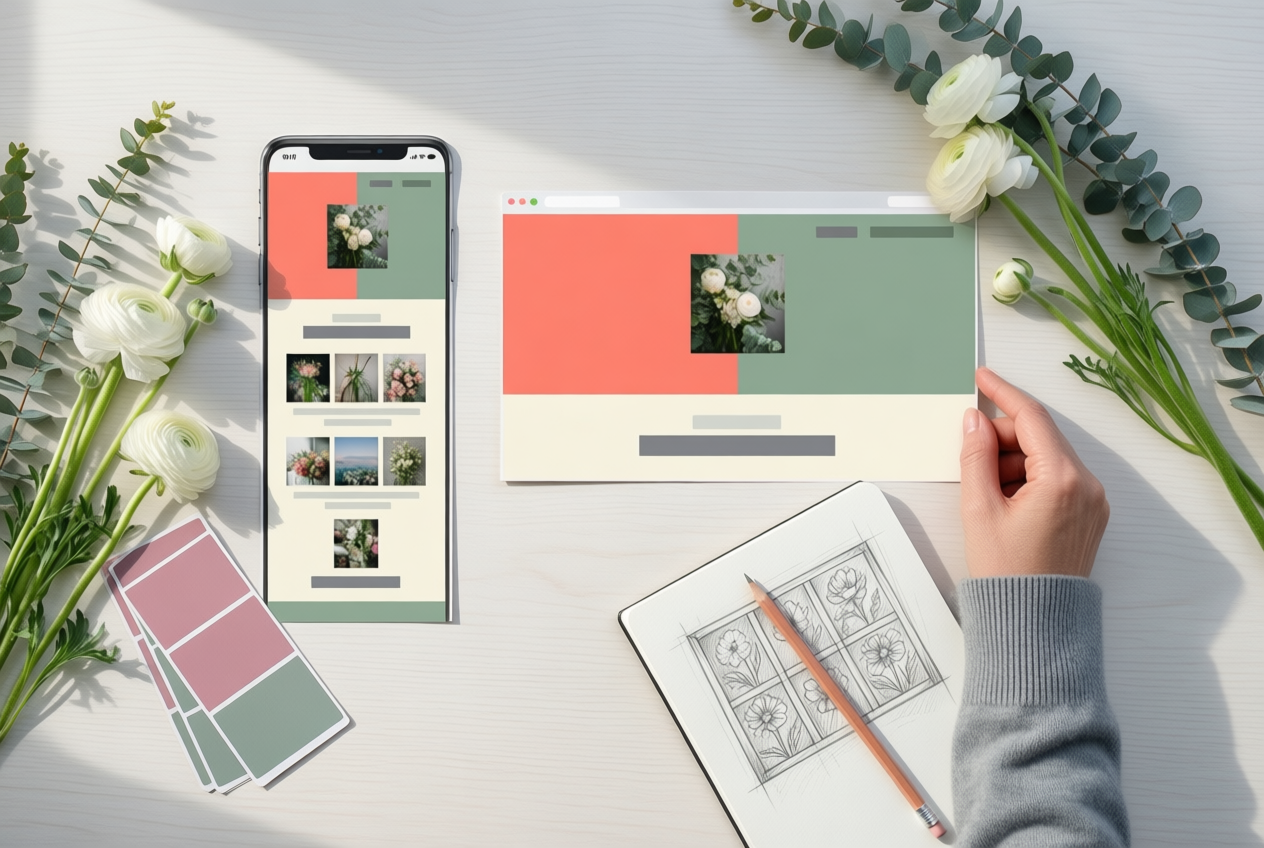
A responsive layout rearranges itself to fit whatever screen it’s on. Layouts adapt in a few predictable ways:
- Columns stack into one on narrow screens.
- Images resize to fit the width.
- Menus fold into a tap-friendly button.
Mobile-friendliness affects ranking, so a layout that forces pinch-and-zoom works against you. A site that doesn’t work on phones also sends people away. When visitors can’t read or navigate a page, they bounce, leaving without going further.
Think of a bakery owner who designs on a big monitor with a crisp three-column menu. On her phone, that menu squeezes into a sliver and the order button gets lost, so fewer customers place orders. Design the phone version first, then scale up, not down.
Small screens are the harder test, so start there.
How Fast Your Site Loads
Speed is easy to overlook until it costs you visitors.
Why speed matters for rankings and visitors
Google uses page speed as a ranking factor, so slow sites can lose ground before anyone clicks.
Google research, as reported by Nielsen Norman Group, found 53% of mobile visits ended when a page took longer than 3 seconds to load, so three seconds is the bar to beat.
According to Google and SOASTA’s 2017 findings, the chance a mobile visitor leaves rises by 32% when a page takes 3 seconds instead of 1, by 90% at 5 seconds and by 123% at 10 seconds. That’s a bounce: a visit that ends after one page.
Core Web Vitals are Google’s measures of how smoothly a page loads and responds. According to Google’s Chrome UX Report, 55.9% of websites passed, so plenty still fall short.
Design habits that drag sites down
- Oversized images. Camera files are usually far bigger than a web page needs.
- Sliders and animations. They add weight and delay the content visitors came for.
- Add-on scripts and widgets. Chat boxes, feeds, and trackers each load extra code.
- Redirects and clutter. Each redirect adds a hop, and unused plugins add weight.
- Check the theme demo first. A slow demo stays slow once your content goes in.
Think of a hobby photographer uploading full-size camera files to their blog. Readers give up before the pictures load, and the portfolio loses viewers. Visitors won’t wait.
Quick fixes that speed up pages
Start with these three:
- Compress and optimize images. Resize each photo to its display size, then compress it before uploading.
- Reduce redirects. Link straight to each page’s final address.
- Clean, simple code. Remove plugins and widgets you don’t use.
Keep the goal fast rather than flashy, and test each change on a phone.
Writing and Coding Each Page Well
Small habits in your writing and coding help with SEO (search engine optimization).
Use real text and clear headings
Search engines read text, not pictures, so words inside an image are invisible to them. A florist who retyped her chalkboard price list as text made it readable to search engines. Plain text wins.
Use one H1 (the main title) and keep subheadings descriptive, not clever. Don’t hide copy behind tabs, which search engines may weigh less. Short paragraphs keep copy scannable.
AI (artificial intelligence) search and answer engines (tools that give direct answers from web pages) need text they can read.
Pick simple code and SEO-friendly platforms
HTML (the basic code that builds a page) should do most of the work. Keep JavaScript (code for interactive features) light, since heavy scripts slow pages. Choose a CMS (content management system, where you publish without coding) built for search.
JavaScript frameworks (prebuilt script toolkits) need extra care so your words still show up. Add schema markup (hidden labels that tell search engines what a page is about).
Avoid Flash (an older animation tool) and complex CSS (the code that styles pages).
Pick a theme (the ready-made design that sets your site’s look) for speed first, looks second. A retired teacher who loves animated sliders may find her blog crawling on her phone. Test it on your phone first.
Label images and make pages accessible
- Alt text (often called alt tags) gives screen readers (software that reads pages aloud) and search engines a short image description. Write what’s shown, not the keyword you’re chasing.
- Descriptive file names. Save a loaf photo as
sourdough-loaf.jpg, notIMG_4471.jpg. - HTTPS security. HTTPS (the secure version of a web address, shown by a padlock) protects what visitors type into your forms.
- Inclusive accessibility features. Readable fonts, strong contrast and keyboard-friendly menus help people with disabilities and everyone else.
Put key content where eyes land first
Above the fold means what shows before anyone scrolls. Put your name, what you offer and one clear next step there. Keep ads and pop-ups few, since they crowd the page.
Typography (font choices and text sizes) and white space (the empty room around text) set the tone. White space isn’t wasted space; it gives the eye somewhere to rest.
How Design Turns Visitors into Leads
Visitors only become leads (people who get in touch or buy) when the next step is obvious.
How visitors engage with your pages
Three numbers show whether people find what they came for:
- Bounce rate is the share of visitors who leave after one page without clicking anything else.
- Dwell time is how long someone stays before leaving. Longer usually means the page held their attention.
- Pages per session counts how many pages one visitor opens in a single visit.
Take a wedding photographer who hides her pricing under “About.” Visitors who want rates leave after one page, pushing up her bounce rate. Moving “Pricing” to the top menu gets them to rates in one click.
Intuitive navigation ties these together: clear menus let visitors guess where to click. It’s less about how many pages you have and more about where each one leads. Don’t make them hunt.
Make calls to action easy to spot
A call to action (CTA) is the button or link that tells visitors what to do next, like “Book a consult.”
- Clear CTA placement. Put the main button near the top of each page and repeat it after longer content.
- Clean, intuitive interface. One main action per page keeps visitors from freezing over ten competing buttons.
- Buttons and visual design. Use a contrasting color and wording that says what happens next, like “Get my quote” instead of “Submit.”
A local bakery puts “Order a cake” in the header and under its photo gallery, so anyone who’s just admired a cake knows where to go.
When visitors complete that action, it’s a conversion. Conversions support search engine optimization (SEO) indirectly: no single button moves your ranking alone, but a page that turns visitors into leads helps your search presence too.
What to Avoid When Building Your Site
A site can look finished and still be hard to find. Here’s what to steer clear of before you launch.
Mistakes like sliders and image headlines
- Homepage sliders. Skip the rotating banners and lead with one clear message and one button instead.
- All services on one page. Give each service its own page.
- Headlines as images. Type them as real text so search engines can read them.
- Designing without SEO input. Search engine optimization (SEO) means making pages easy for search engines to read. Involve someone who knows it before the layout is set.
- Ignoring mobile users. Check every page on a phone before launch.
Keyword and content problems to avoid
A keyword is a phrase people type into search. Keyword stuffing, packing a page with one until it reads awkwardly, hurts the reader, so write for them first.
Duplicate content repeats text across pages. Where copies are unavoidable, a canonical tag (a line of code naming the main version) tells search engines which one counts.
Hidden text and links, kept out of visitors’ sight, are a similar trap, so keep everything visible.
Irrelevant keywords cause trouble too. A bakery chasing “car repair” tips brings in visitors who want something it can’t offer.
What a redesign can cost your rankings
A new look doesn’t have to mean new addresses. Picture a wedding photographer who renames every page during a redesign. Anyone with an old bookmark now hits a dead end, and her search visibility starts to slip. Plan your addresses first.
Three habits protect your rankings:
- Keep URLs steady. A URL is a page’s web address, and changed URLs lose rankings.
- Redirect old addresses. A redirect sends visitors from an old address to the new one.
- Monitor Search Console. Check Search Console, which shows how search engines see your site.
Errors on sites for multiple countries
If your site serves several countries or languages, watch for two errors:
- Missing hreflang tags. An hreflang tag is a short code that tells search engines which language or country a page targets. Without it, search engines may show the wrong version.
- Subdirectories over subdomains. Put each version in a folder on your main domain (a subdirectory), not a separate subdomain, which is a prefix before your main address.
Tools for Checking Your Site
Measure before you redesign. These tools show where your site is slow and where search engines may struggle.
Tools that measure page speed
Start with PageSpeed Insights, a free Google tool that tests a page and suggests fixes. Run it on your homepage and key inner pages, since each can load at its own speed.
Then check field data, which reflects real visitors’ experiences. New sites often lack enough traffic for it, so don’t panic if it’s missing.
Finally, open Chrome DevTools, the built-in toolkit in Chrome. Its Network tab shows which files slow a page down. You want to know why a page is slow, not just how slow it is.
Think of a wedding photographer whose gallery drags on phones. The tools flag oversized photos, so she shrinks them before uploading and the page loads faster.
How to audit your site’s SEO
Search engine optimization (SEO) helps search engines find and understand your pages. These checks cover the basics:
- Ahrefs site audit. It crawls your pages and flags broken links and missing page titles.
- Keyword and backlink research. Keywords are what people type into search. Backlinks are links from other sites to yours. Checking both shows what visitors search for and who links to you.
- Free website assessment. Free scanners check your homepage and list fixes. Treat the list as a to-do, not a grade.
- Manual phone test. Open your site on your phone and try its main task, like placing an order. Looking isn’t the same as doing.
Before launch, set up Google Search Console, a free Google tool that shows how Google sees your site. Verify that you own your site, then submit a sitemap, a list of your pages.
Hiring Help and Package Options
Hiring help can save time, but know what a package covers before you sign. Here’s what we’d weigh, including search engine optimization (SEO), the work that helps people find your site.
Why bundling web design and SEO helps
Bundling means one team handles both the design and the SEO work. Instead of two agencies, you get one team planning both.
Think of a bakery owner who wants online orders and to be found nearby. Separate hires can leave her with pretty pages that miss what customers search for.
A bundled quote can cost less than two providers. One shared goal and schedule keeps search work from trailing behind launch, and you’ll have fewer meetings. Less juggling.
What to plan and what needs upkeep
Decide your pages before design, not after launch, so every page earns its spot.
Confirm technical SEO, the behind-the-scenes setup that helps search engines read your pages, is included, not an add-on. Then plan upkeep: hosting is the service that keeps your site online, and blog cadence is how often you’ll post.
Check pricing and contract terms before you sign. Ask each agency:
- What does the SEO work include?
- Who holds your domain name (your web address)?
- What do renewals cost, and can you leave with your files?
When you can skip a full rebuild
You may not need a full rebuild if your site is recent and passes basic checks, like loading fast on a phone.
Consider a retired teacher whose blog is a few years old. Fixing gaps and investing in fresh content is often smarter than starting over.
WordPress, a popular site-building platform, can be made SEO-friendly, so you may not need to switch platforms.
Here’s the big takeaway: a site that’s easy to use on a phone, loads quickly, and says clearly what it offers serves visitors and search engines at the same time. You don’t need to master every technical detail to get there.
Just look first, then choose the design that fits the people you want to reach.
Start with the checklist and test your favorite themes on a phone. Build for people first, and search engines will have a much easier time finding your site.
References
- Attention web designers: You have 50 milliseconds to make a good first impression!: Behaviour & Information Technology: Vol 25, No 2 — tandfonline.com (2006)
- Website load time: what slow pages cost — 404media.at (2026)
- Release notes | Chrome UX Report — developer.chrome.com (2026)
- Mobile vs Desktop Usage Statistics for 2027 — research.com
- The Need for Speed, 23 Years Later — nngroup.com
- Mobile-first Indexing Best Practices | Google Search Central | Documentation — developers.google.com
Questions
What is the 80/20 rule for SEO?
The 80/20 rule for SEO means that a small share of your efforts often drives most of your results. Prioritize high-impact fixes, such as making pages easy to crawl, improving mobile usability, and speeding up slow pages.
What does SEO mean in web dev?
In web development, SEO means building a website so search engines can read its pages, understand their topics, and show them to relevant searchers. It includes technical structure, content, and reputation.
Is a web design degree worth it?
A web design degree can be worth it if you want structured training, a credential for certain employers, or access to internships and professional networks. It is not essential for every design career, since a strong portfolio, practical skills, and experience can also help you get hired.
Is SEO a stressful job?
SEO can be stressful because rankings and traffic can fluctuate, results often take time, and search engine changes may require ongoing adjustments. The level of stress depends on workload, deadlines, client expectations, and how much control you have over priorities.
Sources
- Mobile vs Desktop Usage Statistics for 2027 | Research.com, research.com
- Website load time: what slow pages cost | 404media, 404media.at,
- The Need for Speed, 23 Years Later - NN/G, nngroup.com
- Release notes | Chrome UX Report - Chrome for Developers, developer.chrome.com,
- Attention web designers: You have 50 milliseconds to make a good first impression!: Behaviour & Information Technology: Vol 25, No 2, tandfonline.com,
- Mobile-first Indexing Best Practices | Google Search Central | Documentation | Google for Developers, developers.google.com