GuidesChapter 8 · SEO & Growth
SEO in a Single Page Application, Step by Step
SEO in single-page applications starts with what crawlers can see. Compare rendering options and use an owner checklist to check pages, links, and errors.

In short
SEO for a single-page application means making its JavaScript-loaded pages easy for search engines to find, read, and index. Give each important view a clean URL and real links, serve crawlable page content with server rendering or static generation, and set page-specific titles, metadata, and correct status codes. The right setup helps public pages appear in search while keeping the app responsive and easier to measure.
Picture a bakery that hides its menu until a customer walks in and presses a button. Regulars get a smooth visit, but a passerby sees almost nothing.
A single-page application (SPA) works similarly: it loads one main page, then fills in content with JavaScript as people click around.
Search engine optimization (SEO) helps search engines find and rank your pages, and SPAs add a few extra steps.
In this post, we’ll cover how search bots, or crawlers, handle them, the fixes ordered by impact, a simple path for choosing a rendering approach, and a checklist for owners who don’t write the code.
Basics of SEO in Single Page Apps
Search engine optimization (SEO) means making your pages easy to find. A single-page application (SPA) loads one core page and swaps in content with JavaScript, while a multi-page application (MPA) serves a separate page for each screen.
Where SPAs shine and where they stumble
- Speed and responsiveness. Screens update in place, so clicking around feels quick.
- Better user experience. App-style menus keep returning visitors engaged.
- JavaScript dependency. Content is often built by JavaScript in the browser, so a slow or failed script can leave a blank page.
- Scalability concerns. As the app grows, its code gets heavier to maintain, which matters if you rely on a developer.
An app can feel fast to a visitor yet still look empty to a search engine that reads the page before the content appears. Speed is only half the story.
Choosing an SPA or MPA for your site
SPAs for SaaS and communities. Software-as-a-service (SaaS) tools and member communities suit SPAs, since people log in and expect updates to appear right away.
MPAs for e-commerce and catalogs. Each product needs its own web address (URL). A bakery with many flavors, for example, gives each one a page, so a search for lemon cupcakes can land a customer right on it.
How SPAs load data. An SPA usually sends a bare page frame first, then fetches the words, prices and images with JavaScript. For search, when content appears can matter as much as what it says.
Is a SPA right for you? Ask yourself whether your visitors need to find individual pages in search or need a fast, app-like tool once they arrive. If it’s the first, you’ll likely want an MPA. If it’s the second, an SPA may be worth it.
Why Search Engines Struggle with SPAs
A single-page application (SPA) loads one page, then swaps in content with JavaScript as visitors click. That feels smooth, but it makes search engine optimization (SEO) trickier. Let’s see why.
How Google crawls, renders, then indexes pages
Google handles every page in three steps:
- Crawl: fetching the page.
- Render: running its JavaScript to build the full page.
- Index: storing it so it can appear in results.
Rendering is the slow step, and pages wait in a render queue, so new content can sit for a while. Google renders with a headless browser (one that runs without a window) built on evergreen Chromium, the engine behind Chrome that stays current.
Links added by JavaScript only appear after rendering, so Google extracts them again at that stage. If your robots.txt file (a plain-text file telling bots where they may go) blocks a page’s scripts, the renderer can’t finish the page.
Where client-side rendering falls short for crawlers
With client-side rendering, the browser builds the page from JavaScript instead of receiving finished HTML (HyperText Markup Language, the page’s basic code). Think of a florist whose theme loads every bouquet that way.
A crawler may get little more than an empty shell.
The JavaScript execution gap is the delay before those scripts run. The raw HTML is what arrives first, and the rendered HTML is what appears afterward. A crawler that stops at the raw version never sees her arrangements.
Rendering can also time out.
A Google Search Central Community guide on diagnosing failed rendering notes that the Live Test, a quick check of rendering, runs under a strict limit, often around 5 to 7 seconds, while real crawls may allow more variable time.
How crawl budget limits what gets indexed
Crawl budget is how much crawling a search engine will spend on your site, and it’s limited. JavaScript pages are resource-intensive to crawl, and rendering resources are limited too.
Picture a bakery owner who uploads a batch of seasonal product pages in one weekend. Some of those pages wait their turn, so the new cookies may not appear in search until well after launch.
Other bots and social previews often fail
Not all bots run JavaScript. A study in ACM Transactions on Internet Technology notes that many search engines and social media crawlers skip it because it’s expensive, possibly missing content that only appears after rendering.
Open Graph tags are the hidden details in your page’s code that set the title, image and description for shared links. If they’re missing, or added only by JavaScript that bots skip, shared links show blank previews. Fewer people click through.
Other search engines may also render less than Google, so don’t assume what works there carries over.
How SPA and MPA SEO compare
A multi-page application (MPA) loads a complete new page from the server with each click. An SPA loads once and updates in place.
SPAs are less SEO-friendly by default, while MPAs tend to get more individual pages into search, since each page arrives as full HTML. The trade-off isn’t a dead end, though. It’s a choice you can plan for.
Ways to Render Pages for Search
A single-page application (SPA) builds content in the browser, so search engines may see an almost empty page. Four fixes follow.
Server rendering, then hydration in the browser
With server-side rendering (SSR), the server sends complete HTML (page markup), so crawlers read the words at once. The browser then takes over through hydration, attaching buttons and menus.
For most SPAs, this one change fixes most of the problems that hurt rankings. Your framework’s SSR guide shows how.
Crawlers and shoppers get the same page, not a stripped-down copy for search.

Build static pages and refresh them gradually
Static site generation builds each page as plain HTML before anyone visits, then serves those files from a content delivery network (CDN), a network of servers near visitors. A local bakery with a twice-a-year menu fits well.
Thousands of products make every full rebuild slow. Incremental static regeneration (ISR) refreshes single pages in the background, and Next.js and Nuxt both support it. One price change shouldn’t mean a full rebuild.
Pre-rendering and picking a method early
Pre-rendering saves a snapshot of each page’s HTML for crawlers, a lighter option for pages that rarely change. Plain React renders in the browser, while Next.js, built on React, can send full HTML from the server.
Settle your method before you pick a theme. Switching later usually means rebuilding pages, and that’s a headache. For most online stores, server rendering or ISR is safer, since a static snapshot might show a crawler last week’s price.
| Approach | Crawler sees | Best for |
|---|---|---|
| Client-only SPA | Minimal HTML until scripts run | Logged-in tools, not public pages |
| Server rendering | Full HTML built per request | Changing pages, like product listings |
| Static generation | Full HTML built ahead of time | Stable pages, like menus |
| Hybrid (ISR) | Full HTML, refreshed over time | Large sites with occasional edits |
Caching and CDNs keep server rendering quick
Server rendering adds a wait, called time to first byte (TTFB), before the visitor gets anything. Edge caching keeps a saved copy on a nearby CDN server, so repeat visits skip the rebuild. Caching buys speed. Stale content is the price.
A florist’s cart count can’t be baked into a shared copy, or every visitor sees the same number. Load it after the page paints so the cached HTML stays shareable.
Routing URLs and How Crawlers Find Links
Crawlers find your pages by following links, and in a single-page application (SPA), where content swaps in without a full page reload, your addresses and links need extra care.
Use the History API, not hash URLs
Skip hash URLs (example.com/#/about) and hashbang URLs (example.com/#!/about), since the browser alone handles what follows the #.
Instead, use the browser’s built-in History API, the tool that updates the address bar, with its pushState method to show a clean path like example.com/about. Give each view its own unique web address (URL), and update it on major transitions.
A florist’s shop should show /bouquets/mothers-day when a customer opens that collection, so the link is easy to share. That’s a real address, not a hidden note.
Make links crawlers can actually follow
Crawlers follow standard anchor tags, the <a href="..."> links where the href holds the destination. A div with an onClick handler looks clickable to a person, but Googlebot (Google’s crawler) can’t click buttons.
Use real links with a clean URL for each page. Picture a wedding photographer whose gallery tiles only open on click. Once you turn each tile into a real link, every gallery gets an address people can share. If it isn’t a link, it’s a dead end.
Fixing back button confusion in SPAs
Without changing URLs, the back button can skip views or send visitors off the site. When each view has its own entry in your URL history (the list of addresses the browser remembers), back steps through them in order.
Take a retired teacher’s recipe blog. A reader opens three recipes, then hits back. With proper URL history, that reader lands on the previous recipe, not the previous site. Lost readers leave.
Page Titles, Canonicals and Structured Data
In a single-page application (SPA, a site that swaps content in with JavaScript), these settings are easy to miss.
Which of these is an example of on-page SEO?
All of them are examples of on-page SEO, meaning search engine optimization (SEO) work you do on the page itself.
Start with a unique title for each page. A bakery with a page per product needs a title like “Lemon Loaf | Maple Street Bakery” on each one. Meta descriptions, the short summaries under results, follow the same rule.
Your framework decides the tool:
- React Helmet for React apps
- Nuxt’s meta tools for Nuxt
- The Next.js Metadata API, built-in tools for setting page details
Watch for duplicate content, where several pages share one title or text. Each page needs its own identity, not just its own address.
Setting canonical tags the right way
A canonical tag names a page’s main address. Say a tracking code gets tacked onto a bakery’s lemon loaf link: the canonical tells search engines which address counts. It’s less about having a canonical than about where it’s set.
- Prefer HTML. Put it in the HTML (the page’s code) your server sends.
- JavaScript is the fallback. It can inject one, though that’s second best.
- Don’t change it with JavaScript. Leave it alone once the page loads.
- One per page. Each page gets its own, never one copied across the site.
Adding JSON-LD markup server-side when possible
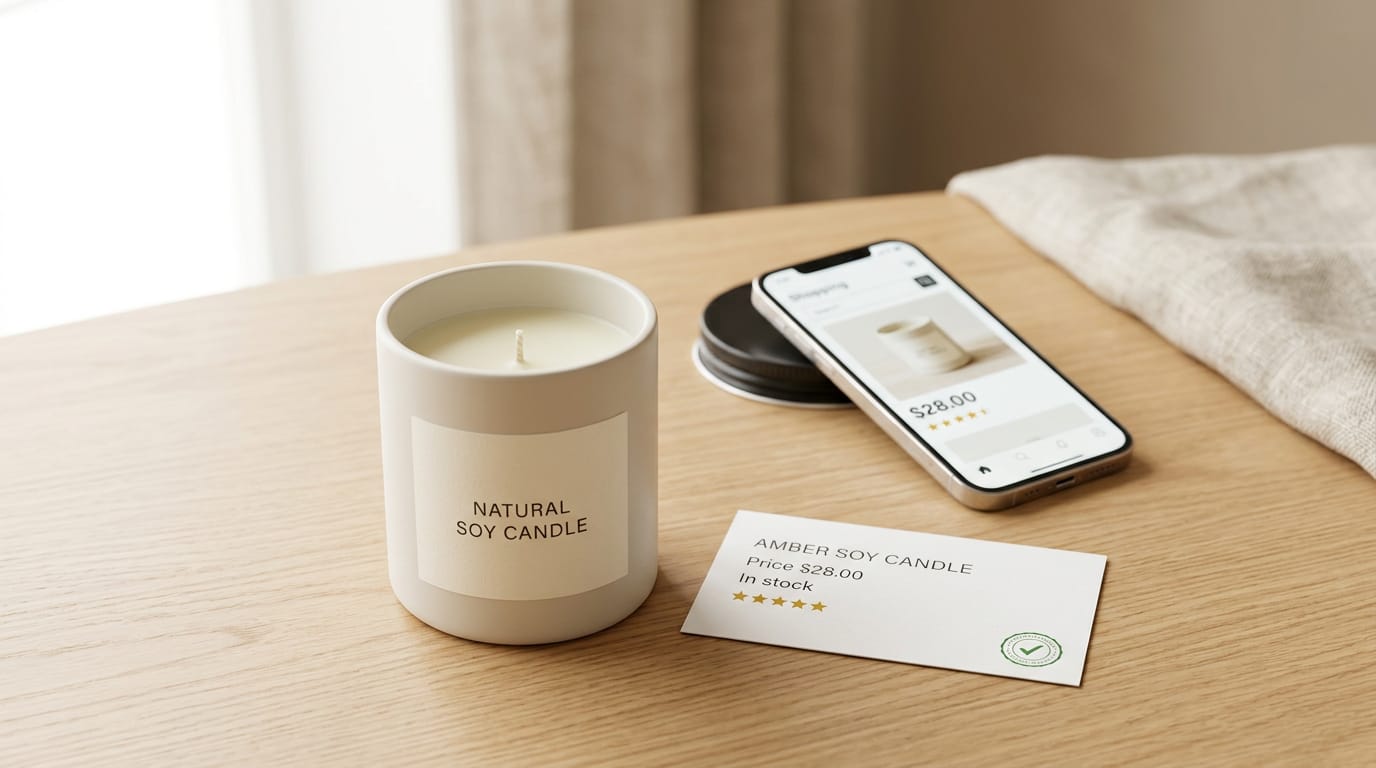
JSON-LD (JavaScript Object Notation for Linked Data) describes what a page contains, like a product’s price. A candle shop’s product page can qualify for product rich results, the enhanced search listings.
JavaScript can inject it, but generating it on the server is preferred. Before you publish, run it through a structured data testing tool.
Controlling indexing with robots directives
Robots directives tell search engines whether to list a page or follow its links. Noindex keeps a page out of results, and nofollow tells search engines not to pass credit along a link.
Be careful adding noindex with JavaScript, since it only works if the script runs as expected. Set it on the server instead. Save nofollow for links you don’t want to count, like sponsored ones. Or send the rule in the server’s response header.
The aim is control, not blocking everything.
Status Codes and Handling Errors Correctly
Every reply your server sends includes a status code: a number that tells browsers and search engines what happened.
When missing pages still return a 200
Many single-page applications (SPAs) serve one starting file for every address, so a missing page still answers with a 200 (‘everything’s fine’).
- Server returns 200 for everything: it never checks whether the page exists.
- Client router shows not-found: the browser’s own page-switching code displays ‘Page not found,’ but search engines read the code, not the message.
- Wastes crawl budget: crawl budget is how many pages a search engine fetches, and empty pages use it up.
A candle shop owner discontinues a scent, but its old address still returns a 200 with a ‘not found’ message. An honest code fixes that.
Returning the right code for each page
- Real 404 for missing pages: send them to a real 404 page, not a friendly one that returns a 200.
- Noindex tag for hidden pages: a header line telling search engines to skip the page, such as thank-you screens.
- 404 or 410 for removed pages: 404 says ‘not found’ and 410 says ‘gone for good.’ Either works for a page you’ve deleted.
- 301 redirects for moved pages: a permanent forward that sends visitors and search engines to the new address.
- 401 for login-only pages: it tells visitors and crawlers that a login comes first.
Handling filter and variant URLs without duplicates
A shop with filters for scent, size and sort order can create many URLs (web addresses) showing nearly the same candles.
- Canonical tags: a line in the page’s header that names the preferred address, so search engines treat the rest as copies.
- Rules for indexable combinations: decide which filter pages deserve a spot in search results, and index only what people actually search for.
Core Web Vitals and Page Speed
Speed and layout stability feed into how Google ranks your pages, and single-page applications (SPAs) can quietly hurt both.
How SPAs affect Core Web Vitals scores
cazyweb’s performance review notes that Google officially confirmed Core Web Vitals are used in its ranking systems. Three measures matter:
- Largest Contentful Paint (LCP) for main-content speed
- Cumulative Layout Shift (CLS) for jumping content
- Interaction to Next Paint (INP) for tap response.
Heavy JavaScript bundles delay LCP, and hydration (when code takes over a visible page) can shift layout and raise CLS. Heavy scripts also clog the main thread, the browser’s one lane for running code, slowing INP.
The Chrome User Experience Report (CrUX) credits real-visitor data to the landing URL, so later screens may get no score of their own.
Speed fixes that actually move the needle
- Preload the LCP image. Fetch your main image early so it isn’t stuck behind the code.
- Skeleton screens and reserved space. Show placeholder shapes while content loads, and size images in advance so nothing jumps.
- Reduce network requests. Fewer files mean fewer trips to the server.
- Bundle files. Combine code into fewer bundles and load only what each screen needs.
- Cache DOM and static pages. Cache the DOM (the page structure the browser builds) and static pages so repeat visits load faster.
- Use a CDN. A content delivery network (CDN) serves your files from servers near each visitor.
Tracking real user speed over time
Real user monitoring (RUM) measures what visitors experience, not what a test machine simulates. Moving between screens doesn’t reload the page, so soft navigation tracking records each in-app move as its own navigation. No screen gets left out.
Per-URL CLS and INP show a bakery owner which order screen is slow on phones, so she can fix it before the holiday rush.
Checking That Search Engines See Your Pages
How do you perform search engine optimization (SEO) on a website? Start by making sure search engines can read your pages, since a single-page application (SPA) builds its content with JavaScript (code that runs in the browser).
Google’s tools for checking a page
The URL Inspection tool reports how Google handled one address, and the Rich Results Test checks your structured data (labels that describe your content).
View rendered HTML shows the page’s underlying code, the HTML, after JavaScript has run, and the live test screenshot shows what Google displayed. It’s less about how the page looks to you and more about what Google reads.
A wedding photographer’s gallery looks great on her laptop, but her contact page’s live test screenshot comes back blank, so Google can’t read her booking details. She catches it before launch.
Check one page first, as step one of your audit: run these tests on that page before scanning the rest of the site. Blank means invisible.
Testing whether content needs JavaScript
Three quick checks reveal whether JavaScript is doing the work:
- NoScript test: Turn off JavaScript in your browser’s settings and reload. If your main content disappears, search engines may have trouble with it too.
- Detect empty div: View the page source. If the main content area is an empty div (a generic container tag) waiting for JavaScript to fill it, that text isn’t in the page itself.
- Blocked API endpoints in robots.txt: Check your robots.txt file, which tells crawlers what they may visit. If it blocks the application programming interface (API) addresses your page pulls its data from, Google can’t load that content even though the page is allowed.

Writing JavaScript That Google Can Process
Googlebot can run your JavaScript, but it won’t always see what visitors see.
Keeping code and assets compatible with Googlebot
Googlebot supports only some browser features (APIs, or application programming interfaces), so code relying on others may break.
A polyfill fills in a missing feature for older browsers, and differential serving sends newer code to modern browsers and older code to the rest.
Long-lived caching tells browsers to keep files for a long time. Pair it with fingerprints, file names that change whenever the contents do.
Google’s Web Rendering Service (WRS) ignores cache headers (the server’s caching instructions), so a new name, not a cache setting, is what gets a fresh copy fetched.
Making web components and lazy content visible
A web component is a reusable block with its own markup. That markup often sits in a shadow DOM, a walled-off part of the page’s Document Object Model (DOM). Google flattens shadow DOM when it renders, so its content still counts.
Your words must appear in the rendered HTML (HyperText Markup Language), the page’s markup after scripts run. Text that only shows after a click may never get there.
Lazy loading holds content back until it’s needed, like pictures that load as someone scrolls. That’s fine for images, but don’t lazy-load your main text, so it’s there without any scrolling or clicking.
Use a slot element to pass your own text into a component from outside.
Picture a bakery owner whose menu is a web component. Without a slot, her item names and prices stay walled off. Add one, and her menu text joins the page, so a customer searching for sourdough can find her. Keep the words on the page, not behind a click.
Tracking Analytics Across Route Changes
A single-page application (SPA) swaps content in place, so the browser never reloads and a default analytics tag never notices the change. Here’s how to fix that so your numbers reflect real visits.
Counting virtual pageviews on every route change
By default, analytics tags usually fire once, when the first page loads. After that, a visitor can click through pricing, blog posts and checkout without a single pageview being recorded.
Consider a candle shop owner who sees plenty of homepage visits but almost no product page views. Her shoppers aren’t missing; her tracking is, which means she can’t tell which products actually draw interest. Count every route, or you’re guessing.
The fix is a virtual pageview: a hit you send each time the route changes, as if the page had loaded. You can do this two ways:
- Google Tag Manager (GTM) History Change trigger: this fires whenever the address bar updates without a full reload, so your pageview tag runs on every change.
- Google Analytics 4 (GA4) page_view events: send a
page_viewevent on each route change so every screen is counted.
Either way, pass the new page path and title with each hit, or all your pages will blur together in the reports.
Here’s the catch: your app has to announce each navigation, usually by updating the address bar, so click through the site and watch the URL change before you trust the numbers.
Once counting works, monitor your SPA’s pages in Google Search Console too. Analytics shows what visitors do, while Search Console shows whether Google can find those pages at all.
Is SEO Dead or Evolving in 2026?
Search engine optimization (SEO) isn’t dead, but it’s evolving. The basics still decide whether people find you, and artificial intelligence (AI) tools now read your pages too.
Writing content AI answer engines can read
AI crawlers read raw HTML, the text and tags your server sends before any JavaScript runs. Content hidden behind a click may never reach them.
Keep your main content in the page’s Document Object Model (DOM), the structure a browser builds from that HTML, by default.
A study in ACM Transactions on Internet Technology found that 43% of web pages aren’t strictly dependent on JavaScript, so important content belongs in the page from the start.
Structure each section answer-first: lead with the answer, not the backstory, and keep key text out of tabs and pop-ups. Visible wins.
Better content and smarter internal links
Rendering, the step that turns your app into full HTML a crawler can read, is only the entry ticket. Once we know a page is readable, the real work is earning the click.
Write descriptions for shoppers first. Picture a bakery selling custom cakes online. “Vanilla bean birthday cake with buttercream and fresh berries” beats “best cake, cake shop, birthday cakes.”
It answers the shopper and gives crawlers something specific to read.
Internal linking connects your pages, so shoppers can move from the cake page to the order form. Your site should also produce a sitemap, a list of every page you want found. Signals from outside your own site are a separate job, and off page seo explains that work.
Can ChatGPT do SEO? It can help with SEO, but it can’t do it for you. It can’t see your live site on its own, so check every draft against your real pages.
Everything in this post comes back to one idea: search engines need to see your real content, not an empty shell that fills in later.
Start with the fixes that have the biggest impact, choose a rendering approach that matches your site, and verify what crawlers actually see.
You don’t need to write the code to make smart decisions. Use the checklist, ask your developer or platform the right questions, and check your pages regularly. Make sure the passerby can read the menu too.
References
- Breaking Bad: Quantifying the Addiction of Web Elements to JavaScript — dl.acm.org (2023)
- Website Performance and Conversion: A Review of the Evidence — cazyweb.com (2026)
- A Guide to Diagnosing Failed Rendering — support.google.com (2025)
Questions
How to perform SEO on a website?
To perform SEO on a website, make sure search engines can crawl and read its pages, then give each page a clear purpose, unique title, useful content, and descriptive links. Use a suitable rendering approach so important content appears in the HTML, set accurate canonical tags and status codes, build internal links and a sitemap, and monitor results with tools such as Google Search Console.
Which of these is an example of on-page SEO?
A unique page title is an example of on-page SEO. Other examples include writing a page-specific meta description and adding structured data that accurately describes the page.
Is SEO dead or evolving in 2026?
SEO is evolving, not dead. Core practices such as making pages crawlable and creating useful, specific content still matter, while sites also need to ensure their content is accessible to AI-powered answer tools.
Can ChatGPT do SEO?
ChatGPT can help with SEO by assisting with drafts and ideas, but it cannot do the work for you or inspect your live site on its own. Check its suggestions against your actual pages and verify that search engines can access your content.
Sources
- Breaking Bad: Quantifying the Addiction of Web Elements to JavaScript | ACM Transactions on Internet Technology, dl.acm.org,
- Website Performance and Conversion: A Review of the Evidence | cazyweb, cazyweb.com,
- A Guide to Diagnosing Failed Rendering - Google Search Central Community, support.google.com,